eecs270.org
Project 2B: Renee
Due Date: September 25, 2026 at 11:59 PM
Before Starting
Helpful resources:
Starter Files
Design Specification
Renee is a more advanced robot than Robbie. She has two beacon sensors that provide distance information, four bumper sensors that detect collisions, and wheels that can move in reverse in addition to going forward.
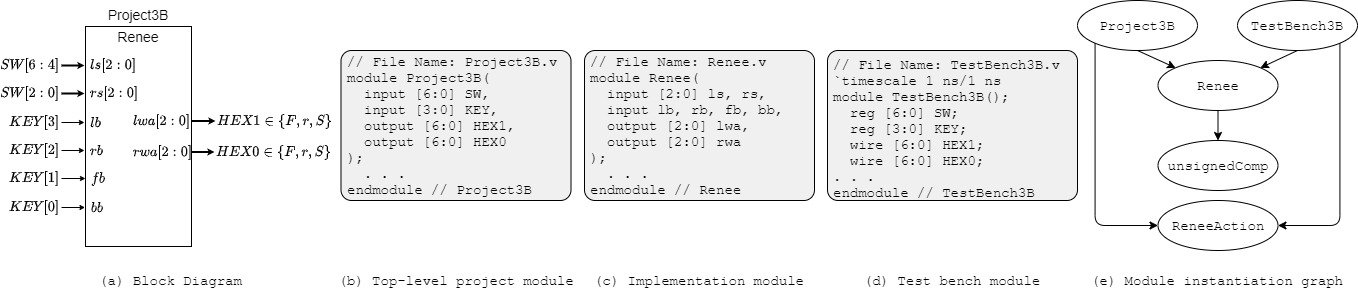
Figure 1: Project 2B Interface, module decomposition, and module instantiation graph.
Sensors and Wheels
- Beacon sensors: Renee has two sensors aimed at her left and right. Each sensor returns a 3-bit unsigned number indicating signal strength. The higher the value, the stronger the signal (7 is strongest, 0 is weakest).
- Bumper sensors: Renee has four bumper sensors (front, back, left, right). They are active low: they return
0if Renee has bumped something in that direction,1otherwise. - Wheels: Renee’s wheels can move forward (F), reverse (r), or stop (S). Each wheel’s action is displayed on a HEX display:
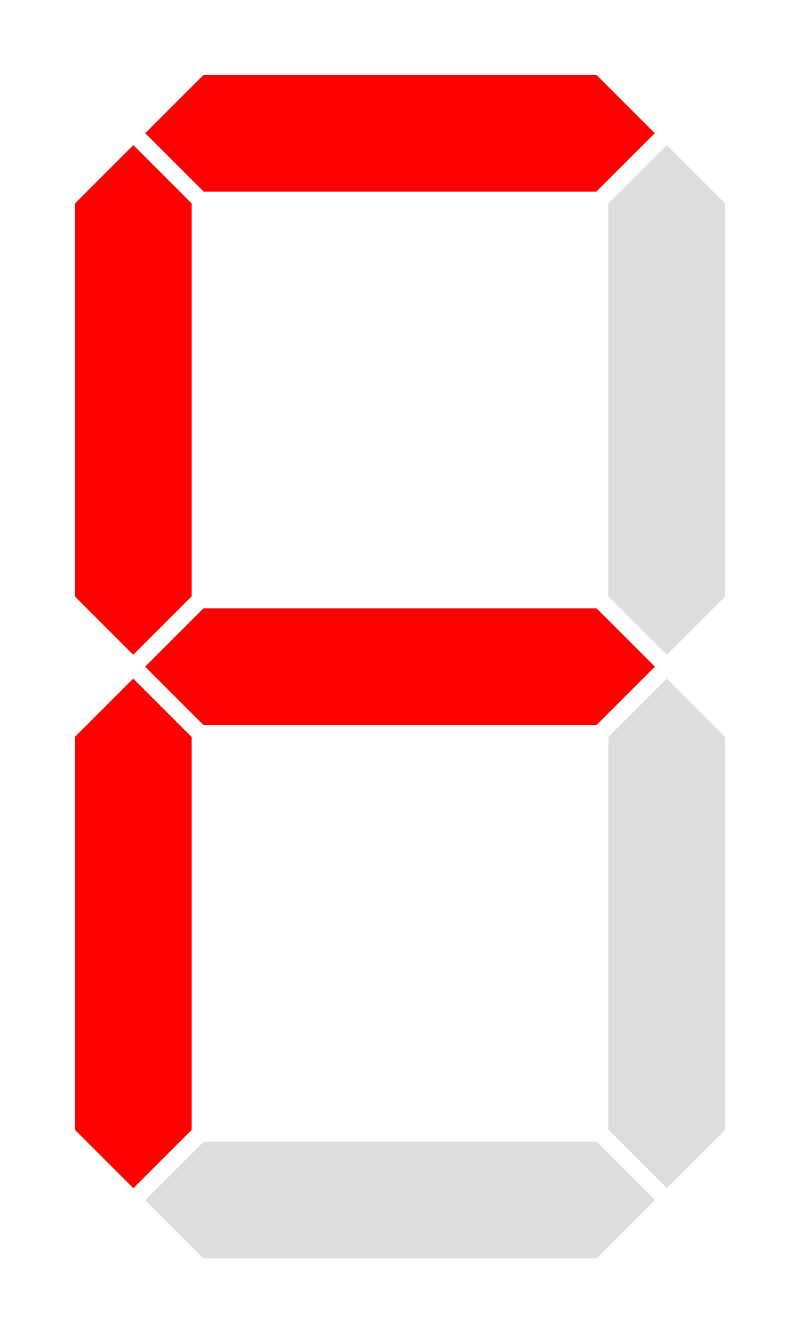
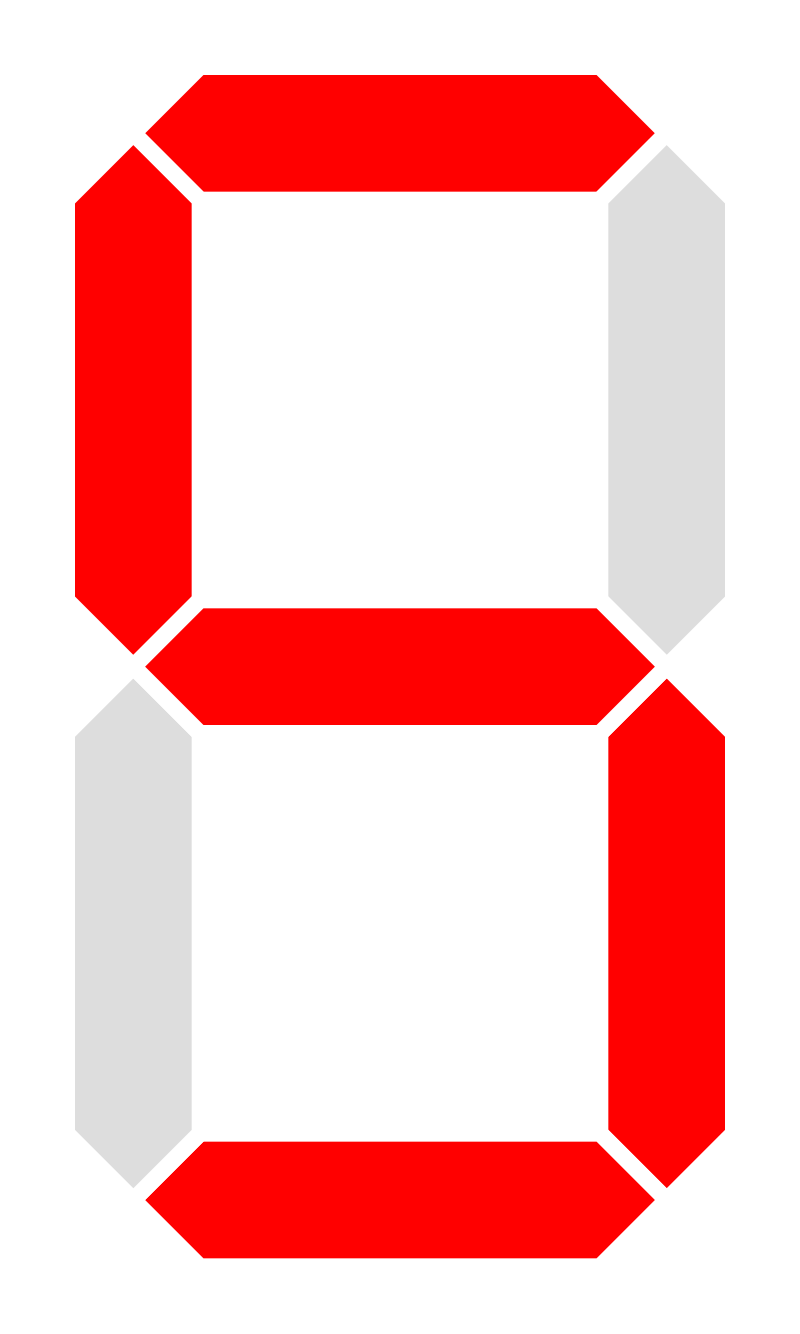
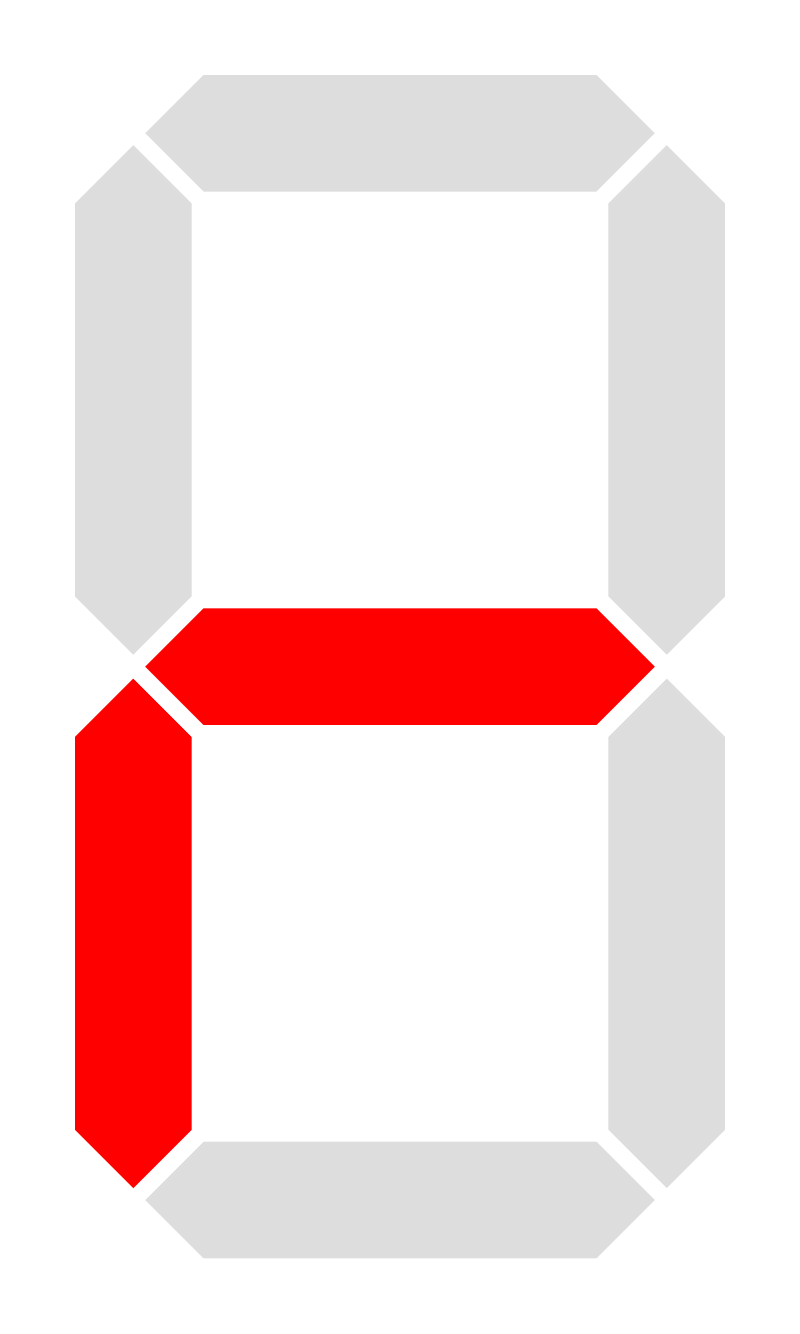
Renee’s Actions
Table 1 shows the actions Renee can perform and the corresponding wheel states.
| Action | Left Wheel | Right Wheel |
|---|---|---|
| Forward | F | F |
| Left | S | F |
| Right | F | S |
| Stop | S | S |
| Left Back | S | r |
| Right Back | r | S |
| Reverse | r | r |
Table 1: How Renee uses her wheels to perform her actions.
Behavior Rules
Renee should head in the direction of the sensor with the strongest signal (highest value). If both signals are the weakest possible (0), Renee should stop. If the two signals are the same but not the weakest possible, Renee should go forward.
The beacon sensors are ignored if Renee has hit something: in that case, her first priority is to move away from the obstacle. If any of her bumpers detect a collision, she should follow these rules:
- Only front bumper: Reverse
- Only back bumper: Forward
- Only left bumper: Right back
- Only right bumper: Left back
- Only left and front bumpers: Right back
- Only right and front bumpers: Left back
- Only left and back bumpers: Right
- Only right and back bumpers: Left
- Any two bumpers on opposite sides (front and back, left and right): Stop
Renee Module Interface
| Net | Size | Direction | Description |
|---|---|---|---|
ls |
3 bits | Input | Left beacon sensor signal strength (higher = stronger) |
rs |
3 bits | Input | Right beacon sensor signal strength (higher = stronger) |
lb |
1 bit | Input | Left bumper sensor (active low) |
rb |
1 bit | Input | Right bumper sensor (active low) |
fb |
1 bit | Input | Front bumper sensor (active low) |
bb |
1 bit | Input | Back bumper sensor (active low) |
lwa |
7 bits | Output | Left wheel action (displayed on HEX1) |
rwa |
7 bits | Output | Right wheel action (displayed on HEX0) |
Top-level: Project2B Module
This module connects Renee to the FPGA pins. Create temporary wires called sw_bus [2:0] and assign them to SW and use those.
| Net | Direction | Physical Description | Correspondence to Renee |
|---|---|---|---|
SW[2:0] |
Input | rightmost 3 switches | rs (right beacon sensor) |
SW[6:4] |
Input | left-center 3 switches | ls (left beacon sensor) |
KEY[0] |
Input | rightmost button | bb (back bumper) |
KEY[1] |
Input | second button | fb (front bumper) |
KEY[2] |
Input | third button | rb (right bumper) |
KEY[3] |
Input | leftmost button | lb (left bumper) |
HEX1[6:0] |
Output | left 7-segment display | lwa (left wheel action) |
HEX0[6:0] |
Output | right 7-segment display | rwa (right wheel action) |
Design Notes and Hints
- Renee’s design may be implemented using behavioral Verilog (unlike Robbie).
- You can use Boolean expressions directly, e.g.
assign a = b & c | d;. - Allowed Boolean operators:
| Logical Operation | Verilog |
|---|---|
| NOT | ~, ! |
| AND | & |
| OR | \| |
| XOR | ^ |
| XNOR | ~^ |
- You can also use the ternary operator (similar to C):
value = condition ? value1 : value2;- If
conditionis true,value = value1, elsevalue = value2. condition,value1, andvalue2can be Boolean expressions.
- You CANNOT use arithmetic operators (
+,-, integer negation), relational operators (<,>,==), orifstatements. - Module
unsignedCompshould implement unsigned 3-bit comparison. Given 3-bit unsigned numbers A and B, produce three outputs: A=B, A<B, and A>B. Modify the magnitude comparator from lecture 6. - Module
ReneeActionshould display the three wheel actions (F, r, S) on the HEX display. - With 10 inputs, a “flat” design is not advisable. Decompose the controller into a hierarchy of smaller design units that have fewer inputs.
- The bumper sensors detect a collision if the corresponding KEY is pressed (KEYs are active low).
- LabsLand KEY note: The default LabsLand web interface does not allow multiple KEYs to be pressed simultaneously. An alternative input method uses the computer keyboard: numbers
0,1,2, and3correspond toKEY[0],KEY[1],KEY[2], andKEY[3].
Testbench
Your testbench for Renee (TestBench2B_tb.v) will be scored on the Autograder for test coverage. Your tests receive points for detecting specific input combinations that expose potential bugs in a design. Read the Renee specifications carefully to pick meaningful test cases. Thorough tests improve the chance of catching mutants.
Your testbench must instantiate the Renee module, not Project2B. Build off the starter file, which includes an example test case.
Deliverables
| File Name | Task | Testing Process | Grading Process |
|---|---|---|---|
| Renee.v | Implement Renee controller module | ModelSim | Autograder |
| ReneeAction.v | Implement wheel action display module | ModelSim | Autograder |
| unsignedComp.v | Implement 3-bit unsigned comparator | ModelSim | Autograder |
| TestBench2B_tb.v | Write test cases for Renee module | ModelSim | Autograder |
| Project2B.v | Connect Renee to FPGA inputs | LabsLand | Autograder |
To ensure that your design works with the Autograder, do not modify file names, module names, or interfaces for any of the starter files. All files must be submitted to the Autograder for grading and feedback.