eecs270.org
Project 2A: Robbie
Due Date: September 25, 2026 at 11:59 PM
Before Starting
Helpful resources:
Starter Files
Project2A.v TestBench2A.v Robbie.v RobbieAction.v SEL1.v wave2A.do
Design Specification
Robbie is a simple robot with three sensors (left, front, right) and two independently-controlled wheels. Each sensor outputs 1 when it detects the beacon in its cone, and 0 otherwise. Each wheel receives a 1 to move forward or 0 to stop. Robbie drives straight when both wheels go forward, stops when both are stopped, and turns toward the stopped wheel when only one is moving.
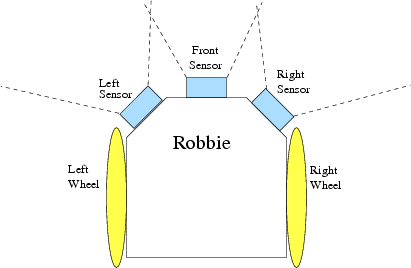
Figure 1: Robbie
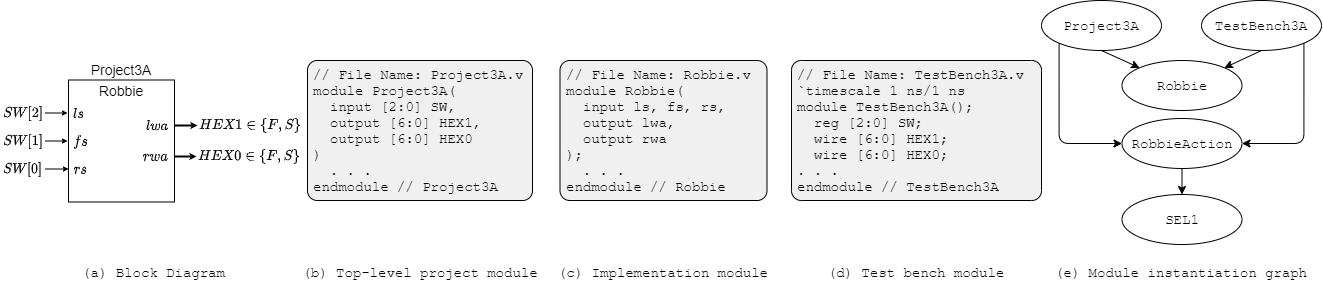
Figure 2: Project 2A interface, module decomposition, and module instantiation graph
Robbie’s behavior:
- Go forward if the front sensor detects the beacon, or if both the left and right sensors detect the beacon.
- If only the right or only the left sensor detects the beacon, turn toward that sensor.
- If the front sensor and a side sensor both detect the beacon, go forward.
- Otherwise, stop.
The wheel actions are displayed on HEX1 (left wheel) and HEX0 (right wheel) as 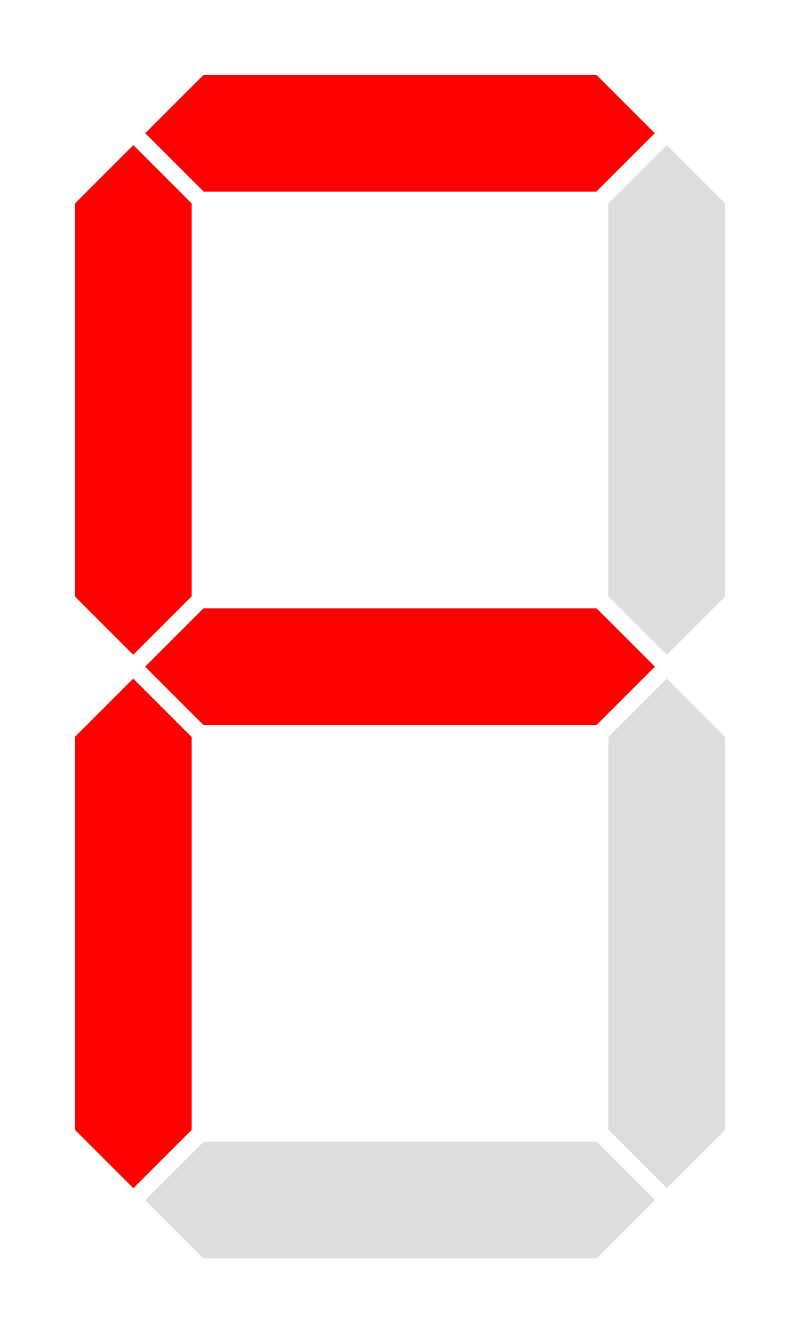 (forward) or
 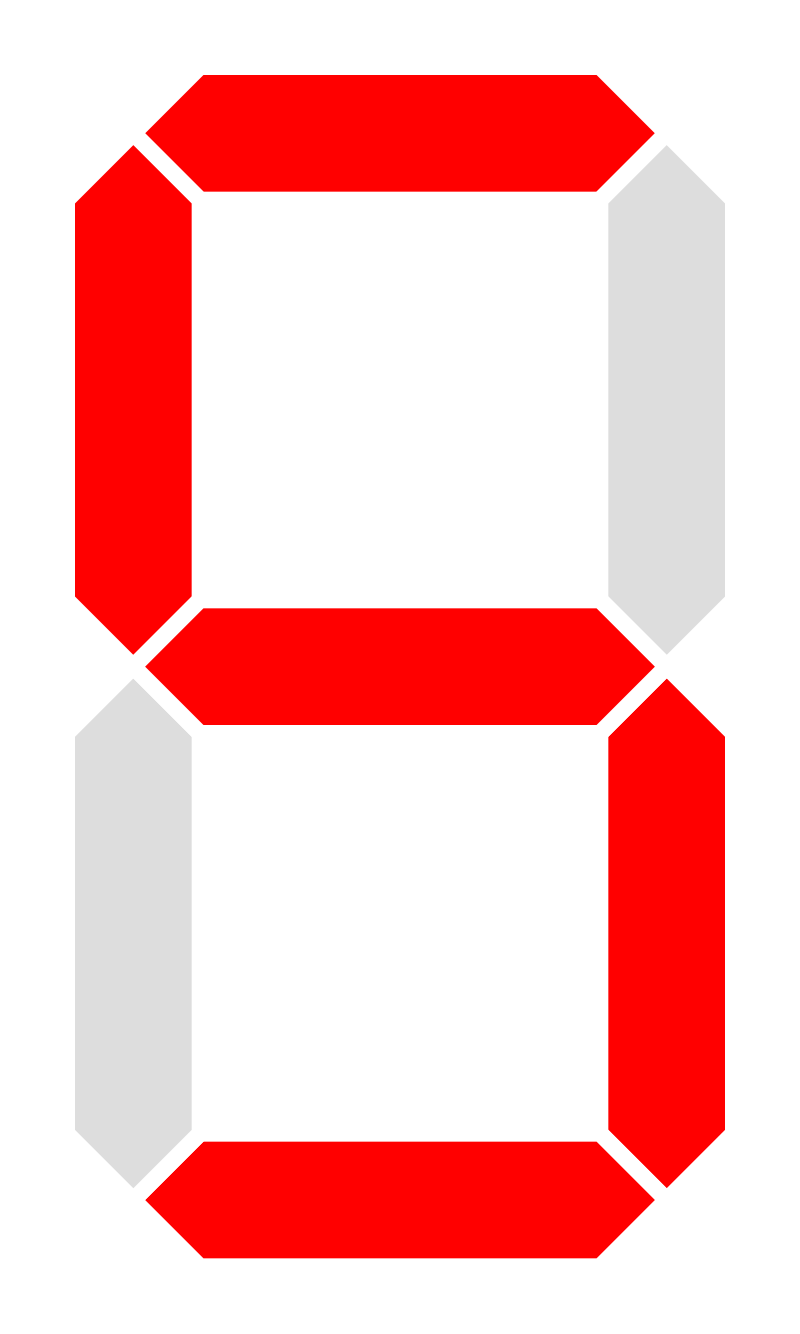 (stopped).
Logic Modules: Robbie and RobbieAction
Robbie interface:
| Net | Size | Direction | Description |
|---|---|---|---|
ls |
1 bit | Input | Left sensor |
fs |
1 bit | Input | Front sensor |
rs |
1 bit | Input | Right sensor |
lw |
1 bit | Output | Left wheel (1 = forward, 0 = stopped) |
rw |
1 bit | Output | Right wheel (1 = forward, 0 = stopped) |
The RobbieAction module takes a 1-bit wheel signal and drives a 7-bit HEX display with the appropriate character (F or S).
Top-level: Project2A Module
Project2A interface: Create temporary wires called sw_bus [2:0] and assign them to SW and use those.
| Net | Direction | Physical Description | Correspondence to Robbie |
|---|---|---|---|
SW[2] |
input | left switch | ls |
SW[1] |
input | middle switch | fs |
SW[0] |
input | right switch | rs |
HEX1[6:0] |
output | left 7-segment display | left wheel action |
HEX0[6:0] |
output | right 7-segment display | right wheel action |
Design Notes and Hints
- Robbie’s design must be specified in structural Verilog.
- The
RobbieActionmodule should display if the wheel is moving forward or if it is stopped. - HEX displays are active low: drive a segment to
0to turn it on. - The
SEL1module from Project 1 may be reused insideRobbieAction.
Deliverables
| File Name | Task | Testing Process | Grading Process |
|---|---|---|---|
| Robbie.v | Implement Robbie control logic in structural Verilog | ModelSim | Autograder |
| RobbieAction.v | Display wheel action on a HEX display | ModelSim | Autograder |
| SEL1.v | 1-bit 2-to-1 selector (reused from Project 1) | ModelSim | Autograder |
| TestBench2A.v | Write test cases for the Robbie module | ModelSim | Autograder |
| Project2A.v | Connect Robbie to FPGA switches and HEX displays | LabsLand | Autograder |
To ensure that your design works with the Autograder, do not modify file names, module names, or interfaces for any of the starter files. All files must be submitted to the Autograder for grading and feedback.